Of course, the game process will be more difficult than Tic Tac Toe or Sea Battle. But do not think that everything is too complicated. It is enough to take a little time to understand the basic principles of the game and you can already cut through the galactic expanses, winning victories in space competitions!
Acquaintance on the test field of the game
Perhaps the best way to understand what is happening is to move the fleet yourself and build the first colonies.
How to create your own game or join another game
Passed the familiarization with the game and want to test your strength? Create your first cluster by choosing a "Introductory game" with detailed hints.
Interface - game board and control panels
Explanations for everything you will see in the game cluster.
Attention! You only need 2 keys/gestures to control the playing field:
Left mouse click (click on the phone) - select a chip to move, repeated click / click in another cell - move to this cell. Also moving the fleet inside the sidebars.
Right click mouse (long press on the phone) - move the ship or colony from the field to the side panels.
Objects on the field of play.
Fixed objects.

Planet level 3. A planet suitable for building a colony, to attempt colonization, you need to collect 3 ordinary ships within the neighboring 8 cells.

Planet level 2. A planet suitable for building a colony, to attempt colonization, you need to collect 2 ordinary ships within the neighboring 8 cells.

Planet level 1. A colonyable planet, to attempt colonization you need to place 1 normal ship within the adjacent 8 squares.

Planet 1 level with the ability to choose it as a headquarters planet (starting colony of Civilization). The special status is indicated by the red border of the cell. If there is no headquarters on the planet, it is no different from a normal level 1 planet.

Portal. Adjacent 8 tiles from a portal can be used to instantly move a fleet to another portal. However, there is a small risk that the ships will be damaged and put into repair.

Sector boundaries. Usually the field is divided into 4 sectors by special lines. Splitting the field is necessary for the following reasons: some colonies can be built 1 in each sector and they affect that sector; some types of ships affect the sector in which they are placed; the presence of significant objects in each sector gives an increase in victory points.
Fleet tokens.

Regular fleet. Base ships of Civilizations. Can participate in colonization and attacks.

Attack cruisers. Not all civilizations have special ships. Needed to speed up colonization and support in the attack.

Defense cruisers. Special ships, not all Civilizations have. Needed for support in the defense of planets and ships.

Cargo ships. Special ships, not all Civilizations have. They transport a large amount of valuable cargo, which gives an increase in victory points.

Scouts. Special ships that all base Civilizations can create. Can enter the field of play anywhere to commit sabotage.
Colony tokens.

An ordinary colony showing who owns the planet.

Headquarters planet. Special colony where Civilizations start.

Base. Needed to support the defense of other planets and ships, can be used by cargo ships for landing.

Doc. A special colony, not all civilizations have it. This is an additional port, in addition to the headquarters planet, from which you can bring the fleet into the field.
Information and control panels.

Menu of the game section, Information about the game and its status. If the game is over, the winner will be visible. The author (host) of the cluster has additional options for managing.
Left Sidebar.
Sidebars can be collapsed to the sides by hiding them (but it is better to set a higher screen resolution).
Attention! To understand the capabilities and features of Civilization, you can look at the "Player Card" (listing individual parameters).
http://distant-galaxy.space/en/how-to-play.html?print=1&tmpl=component#sigProId44bae1b7f1
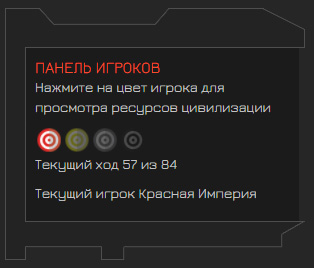
№1 - Player panel. All participants in the match are listed here (you can see their resources) and the current turn is indicated. The current player sees the "End Turn" button.
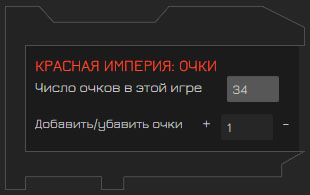
№2 - Calculating and viewing victory points (100 or more is required to win). The current player can add or subtract points. To do this, enter the amount of points and press "+" or "-".
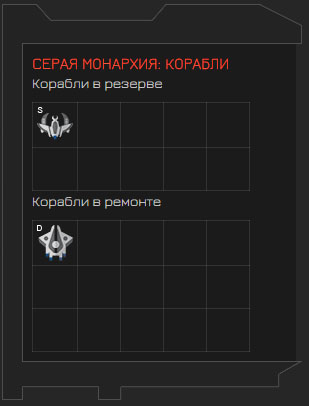
№3 - Fleet of Civilization. All ships that are out of the field of play. "Ships in reserve" are ships that have already been created and can be brought onto the playing field if the "construction phase" is not declared (refusal to move around the field in exchange for the creation of a fleet, special colonies, technologies). "Ships in reserve" - ships knocked out on the playing field (or not created at all). Ships can be transferred from repair to reserve during the construction phase. Important - Anarchy's regular fleet can be transferred from repair to reserve without restrictions.!
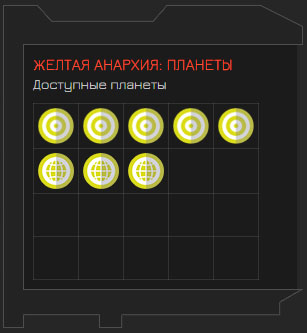
№4 - Planets of Civilization. All tokens of the colonies, who are out of the field of play.
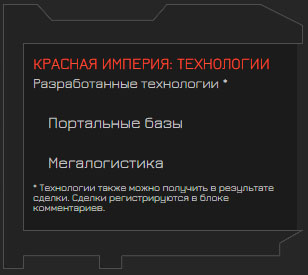
№5 - Technologies. Some Civilizations have already developed technologies from the very beginning of the game. Others may develop during the construction phase. To develop a technology, you must left-click (click on the phone) in an unoccupied technology area. As a rule, random technologies are developed.
Right Sidebar.
http://distant-galaxy.space/en/how-to-play.html?print=1&tmpl=component#sigProId4ddff17d4a
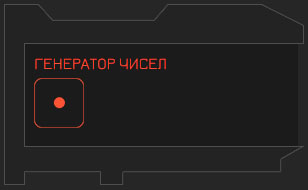
№1 -Number generator (dice). As a rule, numbers from 1 to 6. There are many moments in the game where a random number is needed for the outcome of events. When you click on a cube, a dialog box opens in which you must specify the reason for use. The result is automatically recorded in the game save and action history.
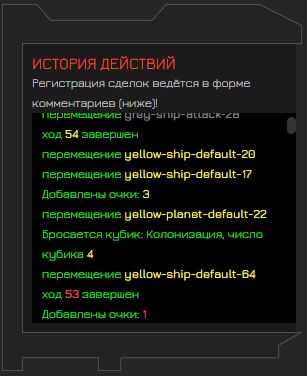
№2 - History of actions. A block that is filled with automatic messages about the actions of all participants from the very beginning of the game. The conclusion of transactions can be written separately, in the lower block of comments.
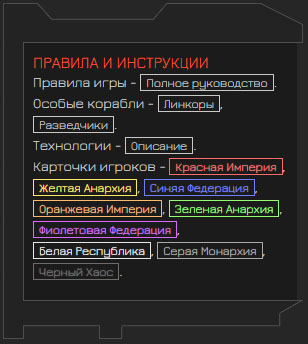
№3 - Rules and instructions. In this block, you can go to any interesting information about the rules of the game and the possibilities of Civilizations.
The bottom panel.
http://distant-galaxy.space/en/how-to-play.html?print=1&tmpl=component#sigProId10f2b3aba3
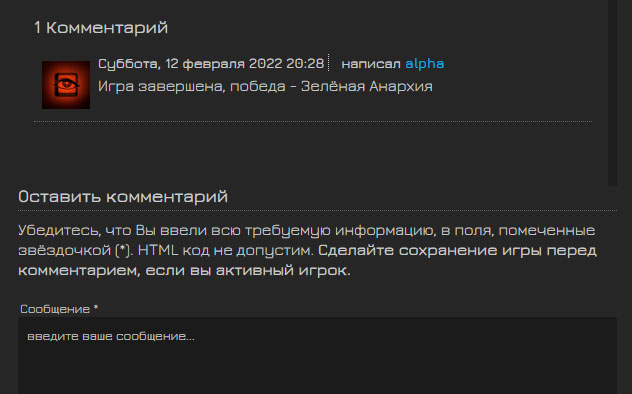
№1 - Comments. This block can be used for communication or for registering deals and other events related to the game. Submitting a comment reloads the page and may discard unsaved changes.
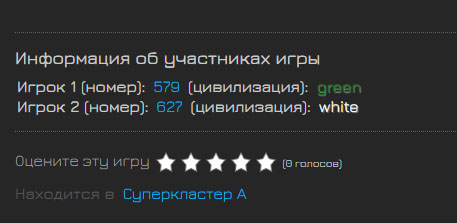
№2 - Auxiliary block of various information. From it you can find out who is participating in the game. also some new features can be added there.