

In order to create your own game cluster or join a friend's game, you need to register Online.
Next, as usual - login. After authorization, you will see your personal account. Please note that each player has their own digital serial number. By this number, participants are added to the game.
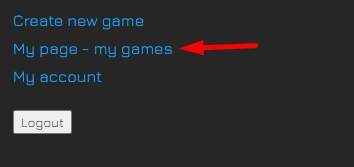
Click "Create New Game" if you want to host the cluster. Only the creator of the cluster can declare the game over, and he can also end the turns of "missing" players.
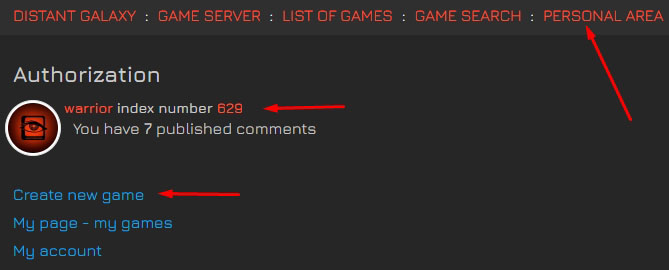
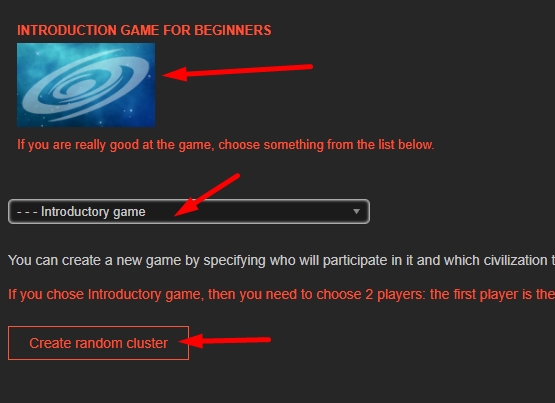
Select the cluster type and start generating it.
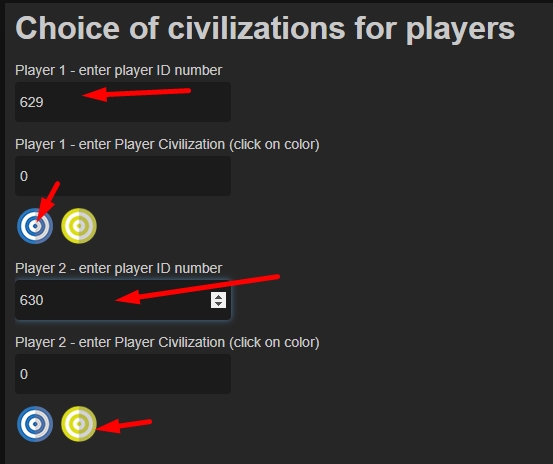
Enter the numbers of the players and their civilization (by clicking on the colored icons). Add more players if needed.
Fix the composition of the players and click "save", then "close".
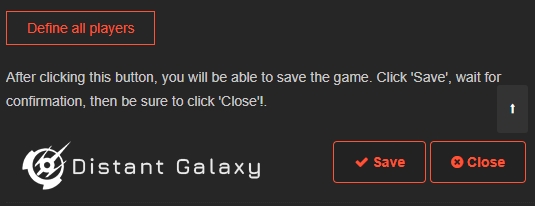
You can find the newly created game in your account. Keep in mind that the game will appear in the general list only after the first move has been made.
How to join someone's game?
It's simple - you need to contact the player who plans to open a cluster and report your number and wishes for choosing a civilization. The cluster host will then provide you with a link to the game. You can only move pieces and perform other actions on your turn.
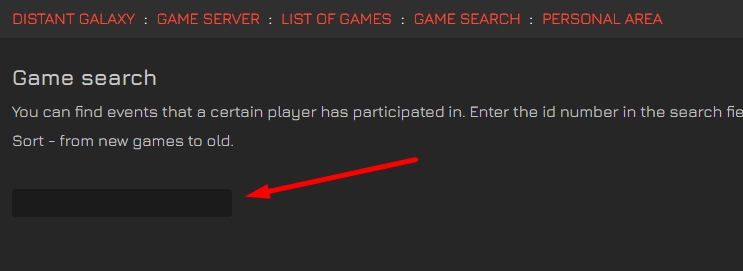
If you are already added to the game and it is difficult for you to find it, use the search by entering your ID in the search box.
Start Introductory game
It is strongly recommended that you select "Introductory Game" in the list of games. For each move, you will receive detailed instructions on what to do and how to do it.
Introductory game requires 2 participants. If you can't find anyone you know, you can create 2 accounts and play from different browsers.